
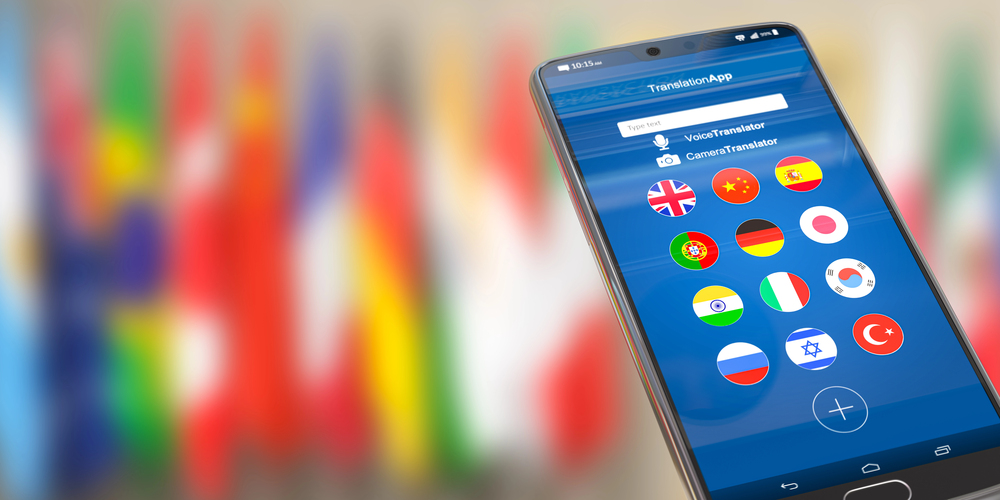
When exploring the options for the best French translation app, it’s essential to navigate through various features and functionalities that different apps offer.
Choosing the right translation app can significantly enhance your language learning experience and make communication more effective. Ensuring the app meets your specific needs can make a world of difference whether you’re traveling, learning French, or needing quick translations for everyday use.
By considering factors such as ease of use, accuracy, and additional features like voice-to-text, users can find an app that truly stands out.
Various apps cater to different aspects, from basic translations to comprehensive language tools, making it easier to select one that aligns with individual preferences and requirements.
1) Google Translate
Google Translate is widely recognized for its extensive language support. The app can translate text between 108 languages by typing. This breadth makes it a popular choice for users needing reliable translations.
A standout feature is the Tap to Translate function. This allows users to copy text in any app and instantly translate it. It is a convenient tool for navigating foreign language content smoothly.
The app also offers offline translation for 59 languages. This is particularly useful for travelers who may not always have internet access. It ensures that language barriers can be overcome in any situation.
Instant camera translation is another notable feature. Users can point their camera at signs, menus, or any text, and the app will translate it on the spot. This visual aspect enhances its usability in real-world scenarios.
Google Translate also supports the translation of handwriting, photos, and speech. This multifaceted approach caters to different user preferences and situations. The app’s versatility makes it a go-to translation tool for many.
2) DeepL
DeepL is recognized as one of the most accurate translation tools available today. It uses advanced machine learning techniques to deliver precise translations, often outperforming larger competitors such as Google and Microsoft in terms of nuance and clarity.
The application supports over 30 languages, including French, making it an excellent choice for translating French text.
Users can translate not just text, but also photos, files, and even speech.
DeepL is accessible via various platforms. It offers a dedicated desktop app, mobile app, and browser extensions for Chrome, Edge, and Firefox. This flexibility allows users to get high-quality translations wherever they are.
Additionally, DeepL provides intelligent writing suggestions. It helps improve grammar and style, making it a useful tool for writing assistance in both personal and professional contexts.
DeepL’s user-friendly interface, combined with its strong translation capabilities, makes it a top choice for anyone needing accurate and quick translations. For more information, visit DeepL Translate.
3) Microsoft Translator
Microsoft Translator is a versatile translation app designed for personal, business, and educational use. It supports translation for over 70 languages, making it a valuable tool for multilingual communication.
Users can translate text, voice, conversations, camera photos, and screenshots. This means you can easily communicate in different languages or understand written content in foreign languages.
For businesses, Microsoft Translator offers an API and Speech service to globalize customer interactions. This function is particularly useful for companies looking to expand their international reach.
The app also has a feature for translating real-time conversations, menus, and street signs while offline. This is particularly helpful for travelers who may not always have access to the internet.
Microsoft Translator is accessible through various devices including iOS and Android, ensuring wide usability. It is available for download on platforms like Google Play.
Moreover, the app facilitates communication by allowing users to share conversation codes. Other participants can join using either the app or the website, making it a smooth, user-friendly experience.
In the realm of education, Microsoft Translator aids in breaking down language barriers, helping students and educators alike in classroom settings. This ensures a more inclusive learning environment across different languages.
4) Reverso
Reverso stands out as a comprehensive French translation tool. It is widely used by students, teachers, business professionals, and language enthusiasts.
One key feature of Reverso is its contextual translation. This allows users to see how words and phrases are used in different situations. This can be especially useful for learning new expressions.
Reverso is available on multiple platforms including iOS and Android. Users can easily access translations anywhere. The app provides high-quality translations in real-time and also supports voice-to-text translation.
Another advantage is the integration with other apps. Reverso can translate selected text when reading content on browsers like Safari. This makes it convenient for users who frequently read foreign language content.
Reverso also offers additional resources for language learners. It includes verb conjugations in multiple languages, helping users improve their grammar skills.
The app offers a free version, making it accessible to a wide audience. There are various features, ensuring it caters to different linguistic needs.
In terms of user experience, Reverso is known for its user-friendly interface. The design helps ease the process of finding and understanding translations. This makes it a reliable tool for anyone looking to enhance their French language skills.
5) iTranslate
iTranslate is a leading French translation app known for its user-friendly interface. It allows users to translate text, voice, websites, and even objects. The app supports over 100 languages, making it highly versatile for travelers, students, and professionals.
A key feature of iTranslate is its voice-to-voice conversation capabilities. This is particularly useful for real-time communication in French-speaking countries. Users can speak into the app and receive instant translations, enhancing their language learning experience.
The Custom Phrasebook feature lets users create personalized lists of commonly used phrases. This is beneficial for anyone looking to remember specific phrases without needing to repeatedly search for them.
Another notable feature is the app’s ability to conjugate verbs. This is essential for mastering French, as verb conjugations can be complex. iTranslate simplifies this process, making it easier for users to communicate accurately.
Additionally, the favorites feature allows users to save their most frequently used translations. This feature sets iTranslate apart from many other translation apps, providing added convenience for its users.
With these robust features, iTranslate is a valuable tool for anyone needing reliable French translations.
6) TripLingo
TripLingo stands out for its diverse features tailored for travelers. It offers translation services for over 100 countries. Users can select their destination and access valuable cultural insights to better understand local customs.
The app also includes voice translation, which allows users to speak into their device and receive immediate translations. This feature is incredibly useful for real-time conversations when traveling.
In addition to basic translation, TripLingo provides a range of tools like phrasebooks, cultural notes, and a Wi-Fi dialer. These features help users navigate different aspects of international travel smoothly.
For anyone looking to enhance their travel experience, TripLingo offers a well-rounded solution. It combines language assistance with practical travel tools to support users in various situations. For more information, visit TripLingo.
7) Papago
Papago is an AI translator developed by Naver. It’s designed to facilitate seamless communication without language barriers. This app supports 13 languages, including English, Korean, Chinese, and Japanese.
One distinct feature is its real-time voice translation, converting speech to both text and audio. This is beneficial for travelers and language learners looking for immediate translations.
The app also excels in image translation. Users can take a picture of foreign text, and Papago will automatically recognize and translate it. This function is particularly handy for translating signs, menus, and other written materials.
Papago provides offline translation support, making it useful even without an internet connection. This feature ensures that translations are always available, which is especially practical in areas with poor connectivity.
For those seeking targeted help, Papago’s dictionary feature offers detailed definitions and usage examples. This can aid in a deeper comprehension of words and phrases.
Papago Mini allows automatic on-screen translation by copying text in any application. It enables users to understand foreign text effortlessly within any app they are using.
The app’s conversation mode allows two people to speak in their native languages and get translations in real time. This can make one-on-one interactions smoother and more intuitive.
8) Babylon
Babylon is a versatile and powerful translation tool available for individual users. The software allows for the seamless translation of words, phrases, text, and documents in numerous languages. This comprehensive capability enables effective communication across different languages.
Users can benefit from Babylon’s instant translation feature, which translates any word that appears on their screen with a single click. This feature is especially useful for quickly understanding foreign-language content without interrupting the workflow.
Babylon offers advanced features such as encyclopedias, dictionaries from leading publishers, and human voice pronunciation. The Babylon Touch app enhances the user experience by allowing translations through picture capture, making it a unique tool for translation on the go.
With high reviews on G2 for its ease of use and efficiency, Babylon stands out as an excellent choice for both work and academic translation needs. Babylon’s user-friendly interface ensures that users can navigate and utilize its features without difficulty.
9) Linguee
Linguee offers a robust French-English dictionary that stands out for its quality and reliability. This platform is used by millions and combines traditional dictionary elements with modern translation technology. Users can find translations of phrases and words quickly and accurately.
Linguee is particularly useful for those who want translations of longer texts or specific phrases, rather than just single words. The results are contextually accurate, which ensures that the translations fit well in various contexts.
One significant advantage is that Linguee can be used offline, making it a valuable tool for travelers or those without consistent internet access.
Additionally, the app supports multiple languages, including Spanish, German, and Chinese, expanding its usability.
Linguee can be accessed via its website or through its app on Google Play. The app’s user-friendly interface makes it easy to navigate and find necessary translations quickly.
Understanding French Translation Apps
French translation apps use advanced algorithms to interpret and translate text or speech. Key elements to consider include their translation accuracy, usability, and the range of features they offer.
How They Work
French translation apps operate through complex algorithms and machine learning. These apps capture the input, whether typed text, spoken words, or images containing text.
The algorithms then analyze the input, referencing large databases and language models to produce an accurate translation.
Real-time translation, such as that offered by Microsoft Translator, is critical for conversations. In these scenarios, the app processes spoken language and translates it almost instantaneously.
This feature creates a seamless interaction by providing immediate context, ensuring that communication remains fluid and natural.
Key Features to Look For
When selecting a French translation app, examine the range of features. Accuracy in translation is paramount, making apps like Google Translate a popular choice due to their reliability.
Voice-to-text capability is another essential. Apps such as iTranslate offer robust voice recognition and translation, making them invaluable for verbal communications.
Additional features like offline usage, pre-made phrasebooks, and the ability to save favorite translations enhance usability and convenience.
These features ensure that users can access and utilize the app in a variety of settings, even without internet connectivity.
Benefits of Using French Translation Apps
French translation apps provide valuable features such as precision and ease of use, enhancing both personal and professional communication. Key functionalities include accurate translations and accessibility through various devices.
Accuracy and Reliability
French translation apps employ advanced algorithms and extensive language databases to deliver high accuracy in translations. This is crucial for both casual use and professional purposes, such as business communication or academic work.
For example, Google Translate is celebrated for its dependable text, voice, and scanned translation features, supporting a broad range of languages.
Systran is another reliable option, known for offering precise translations and operating both online and offline. Such tools help users feel confident that their translations are correct and contextually relevant.
Convenience and Accessibility
The convenience provided by French translation apps is unparalleled. These apps are available on multiple platforms, including iOS and Android, making them accessible anytime and anywhere.
Microsoft Translator stands out for its group chat feature, where users can type messages in one language and have them appear translated for others. This immediacy makes communication efficient and seamless.
Additionally, apps like iTranslate offer offline capabilities and the ability to save favorite translations, ensuring that users always have essential phrases at their fingertips.
Tips for Maximizing Your French Translation App Experience
Maximize your use of French translation apps by following best practices and avoiding common mistakes to ensure accurate and efficient translations.
Best Practices
Use Offline Mode: Many apps, such as Microsoft Translator, offer offline modes. Download language packs to avoid connectivity issues while traveling.
Explore Multi-Functional Features: Apps like Dict Box offer dictionaries, thesauruses, and pronunciation guides. Utilize these features to enhance understanding of translations.
Regular Updates: Keep the app updated. Developers frequently improve translation accuracy and add new features.
Practice Conversational Features: Use apps like iTranslate for dialectal translations in real-time conversations. This can improve speaking and listening skills.
Customize Your Use: Take advantage of personal dictionaries and phrasebooks. Apps such as Google Translate allow users to save favorite translations for quick reference.
Privacy Settings: Ensure privacy features are enabled, especially when using voice translation tools.
Common Mistakes to Avoid
Relying Solely on Translation Apps: While Google Translate is reliable, it’s not foolproof. Cross-check important translations with native speakers when possible.
Ignoring Context: Context matters. Direct translations can sometimes lead to misunderstandings. Always take into account the context of phrases.
Skipping Pronunciation Guides: Don’t neglect pronunciation tools. Practicing correct pronunciation can greatly improve communication skills.
Overlooking App Permissions: Be mindful of app permissions. Some apps may request access to personal data, which isn’t always necessary for translation purposes.
Misusing Text Recognition Features: When using camera translation tools like TextGrabber, ensure the text is clear and legible to avoid inaccuracies.
Not Utilizing Updates: Failing to update the app can lead to missed enhancements and bug fixes. Regular updates are essential for optimal performance.
Frequently Asked Questions
Various French translation apps offer distinct features that cater to different needs, such as accuracy, device compatibility, and ease of use. Here, answers to common questions about the best French translation apps are provided.
What is the most accurate French translator app?
DeepL is known for its high accuracy in translations. It uses advanced neural networks to provide contextually accurate translations that often outperform other apps.
Which French translation app is the best for iOS devices?
Apple Translate is the best option for iOS users. It offers offline translation and supports 11 languages, including French.
What is a highly recommended free French translation app?
Google Translate is widely recommended for its extensive language support and various features, all available for free.
Which is the preferred French translation app for Android users?
Microsoft Translator is a preferred choice for Android users. It offers features like real-time conversation translation.
Are there any translation apps that outperform Google Translate for French?
DeepL often provides more contextually accurate translations compared to Google Translate, making it a superior choice in many scenarios.
What translation app should travelers use when visiting French-speaking countries?
iTranslate is highly recommended for travelers. It excels in translating dialects and provides offline translation options.